Features
Everything that happens between invitation and door.
Shadeslist covers exactly one part of your event: who may come, who has registered, who’s already inside. But it does that thoroughly – and with as little data as possible.
01Registration
Guests sign up with as few details as possible.
- Invite link
- Every event has its own link that can’t be guessed. Share it wherever your people already are – messenger, email, in person.
- Invite codes
- Create one or more codes, optionally with a usage limit and a label (e.g. “Regulars”). Guests with a valid code are approved automatically as long as there are spots left.
- Register anonymously
- Only a nickname is required. The email address is optional; anyone who prefers can register without one and just use their personal status link.
- Location only after approval
- The address isn’t on the registration page. Approved guests see it on their personal status page.
02Guest list
A list you can go through in seconds.
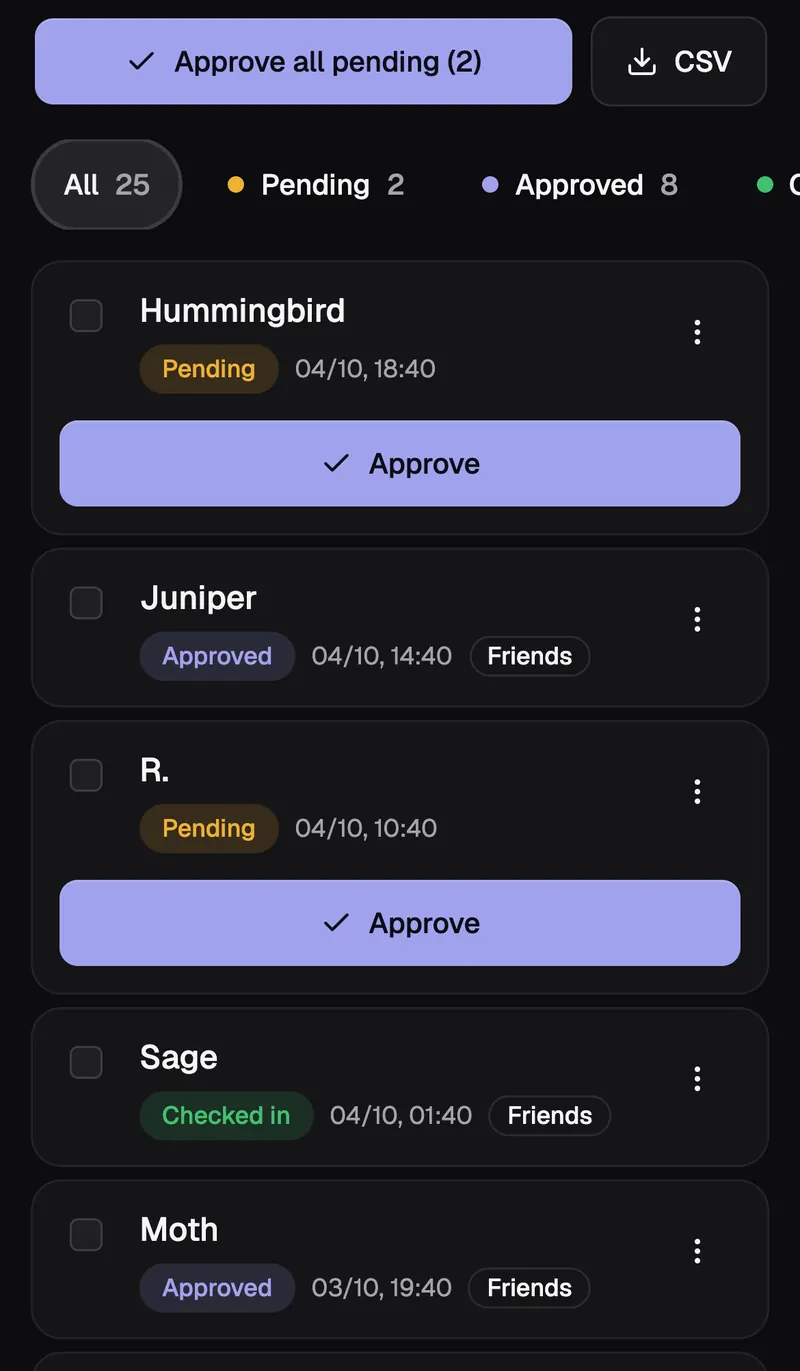
The guest list in the app, with demo data.
- Approve with one tap
- Pending, Approved, Cancelled, Checked in. Change the status one by one or for several guests at once.
- Search and filters
- Search by nickname, filter by status, and see at a glance how many spots are left.
- Private notes
- A short note per guest that only you can see – like “bringing a plus-one” or “waiting for reply”. Stored encrypted.
- CSV export
- The complete list as a CSV file that Excel and Numbers open correctly right away. Protected against formula injection.
- Notice to your guests
- A short text on every guest’s status page, for example when the time changes. If you cancel an event, guests with an email address are told once.
- Reminder before the event
- Approved guests with an email address get a reminder with a link to their check-in code. You choose the timing per event (depending on your plan).
03Door
Check-in that works without reception.
- Personal QR code
- Every approved guest gets a QR code plus a short check-in code to read out – in case the screen is cracked.
- Scanner in the browser
- Point the phone camera at the code and get instant feedback: checked in, already inside, not approved or unknown.
- Offline mode
- The guest list is loaded onto the device in advance. Without reception, the phone checks codes locally and syncs the check-ins automatically later.
- Installable as an app
- Shadeslist is a progressive web app: add it to your home screen, open it full screen, no app store needed.
- Access for helpers without an account
- Share an access link with the people at the door. They scan and search names without an account and without seeing contact details. The link ends shortly after the event.
- Ticket offline too
- Guests save their QR code as an image, where set up also in Apple or Google Wallet, so they get in even with poor reception.
04Privacy
Data minimization by design, not by setting.
- Encrypted contact fields
- Email addresses, messages and private notes are stored encrypted in the database.
- No IP addresses
- We store neither IP addresses nor browser fingerprints of guests. There’s no tracking and no analytics.
- Automatic deletion
- Guest data is deleted 30 days after the event. Guests can download and delete their data themselves at any time – with a deletion log number as proof.
- Servers in Germany
- Hosting and email delivery in Germany. As an organizer, you get a data processing agreement from us.
Invitation
Try it with your next event.
Set up your first event in two minutes. The first 3 months are free – with up to 3 events and 150 guests each, no credit card needed.